What is Team Roles
Team Roles allows you to delegate accountabilities around your Project, such as defining who is responsible for managing Access Control requests.
When Team Roles is active, you will see a new section of your Project Overview page, where you can check who is responsible for what in your Project. This gives you the possibility to make sure that there is always someone available to manage Project responsibilities such as Access Control requests, even when the Project Owner is not available.
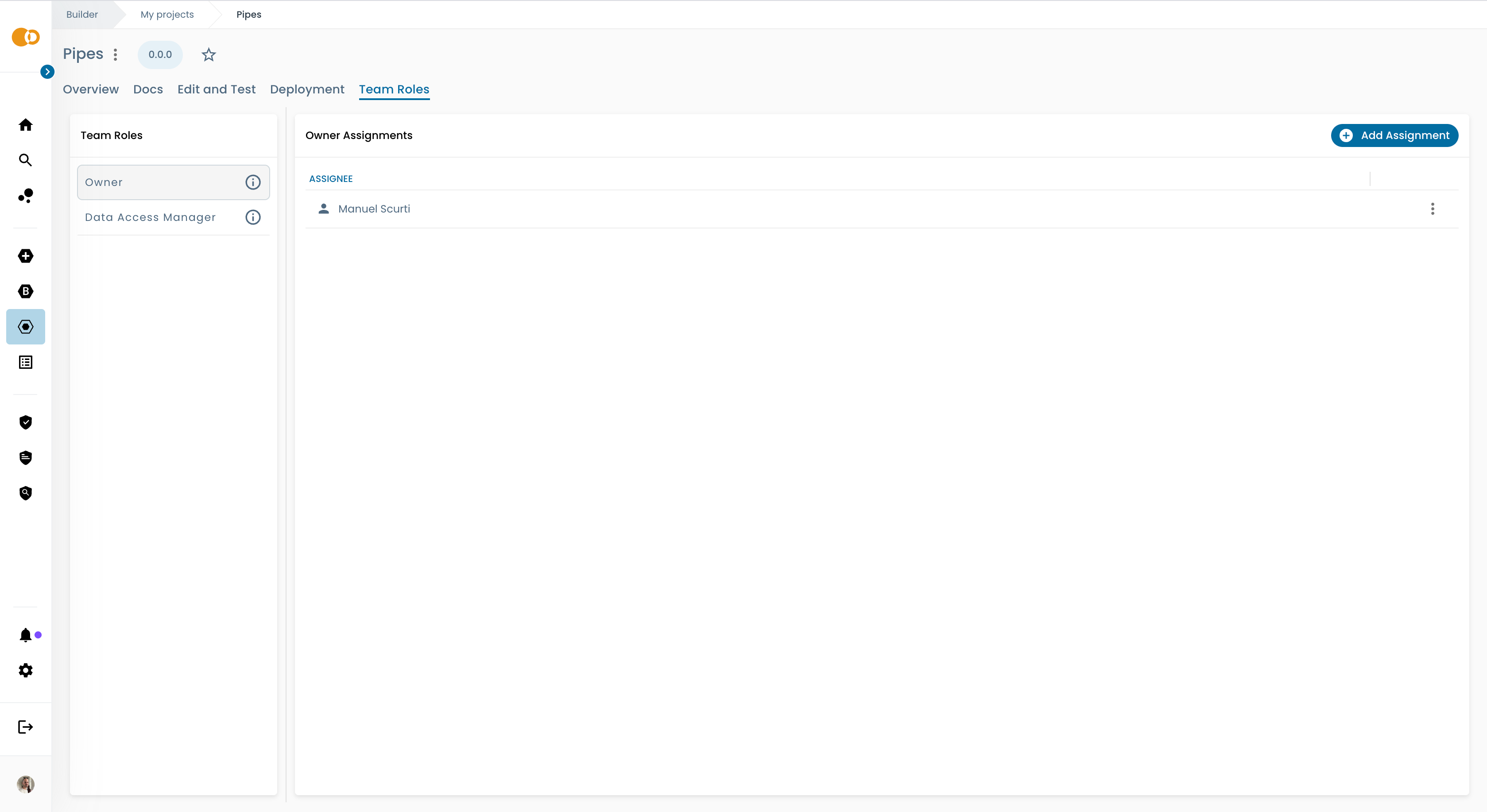
Team Roles must be enabled and configured by the Platform Team, if you are a Project Owner and you don't see the Team Roles section in your project, please contact your Platform Team.
Available Team Roles
Owner
The Owner (or Project Owner) is the main responsible for the project. They have full access to all project features and settings, including managing Team Roles assignments and Access Control management. There can be only one Full Owner for each project, but there can be multiple Limited Owners (See limited delegation).
When no Team Role has been assigned or Team Roles is disabled, or the project has not been onboarded into Team Roles (See how to onboard a project here), the Project Owner will take all the accountabilities around the project by default.
Data Access Manager
The Data Access Manager is the Team Role responsible for managing Access Control requests and notifications. This means that when a user requests access to a product in the Marketplace, the Data Access Managers will receive a notification and will be responsible for approving or rejecting the request. The Project Owner can still see and manage all granted accesses from the Access Control panel, but they won't receive notifications for new Access Control requests when Data Access Managers are assigned, since this responsibility is now delegated to them.
When no Data Access Manager is assigned, the Project Owner(s) will receive notifications for Access Control requests and they will be responsible for managing them.
Lifecycle Manager
The Lifecycle Manager is the Team Role responsible for managing the lifecycle of the project. For example, when a deploy approval workflow is active, the Lifecycle Managers can be configured as the target to receive the workflow notifications, and will be responsible for approving or rejecting the deploy request. This role allows the Project Owner to delegate deploy approval responsibilities to dedicated team members.
When no Lifecycle Manager is assigned, the lifecycle and approval workflows can be configured to the Project Owner(s) instead, to be responsible for approving or rejecting deploy requests.
It may happen that a user who is not assigned to any Team Role can still able to access the Team Roles panel. This could be due to a user having the required permission to access all Team Roles panels under a specific domain or a larger scope.
If you identify a case like this, please contact your Platform Team to ensure if this is desired or a permission misconfiguration.